Micro SD Card Connector Troubleshooting: Common Contact, Detection, and Mechanical Issues
- Share
- publisher
- MOARCONN
- Issue Time
- Oct 30,2026
Summary
Troubleshoot Micro SD card connector contact, detection, and mechanical issues with practical engineering tips from MOARCONN.
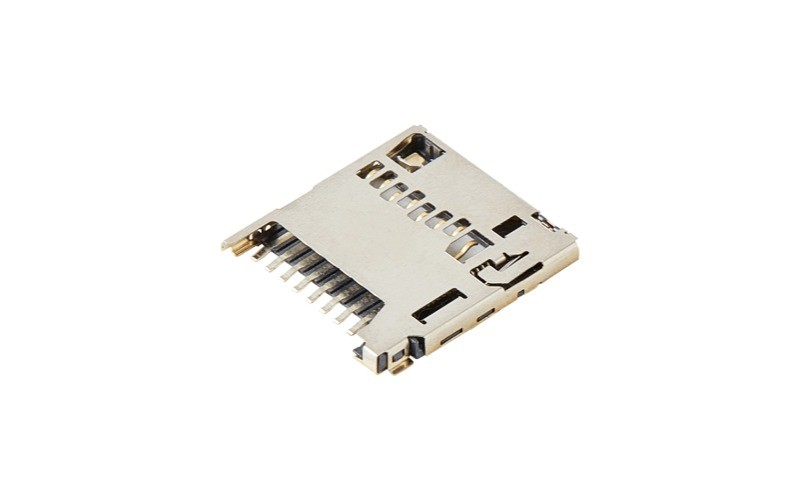
Micro SD Card Connector Troubleshooting: Common Contact, Detection, and Mechanical Issues
A Micro SD card that is not detected, disconnects intermittently, or cannot be inserted or ejected smoothly can create frustrating problems during hardware development and product manufacturing. Although the memory card itself may be responsible, the root cause can also involve the Micro SD card connector, PCB solder joints, card-detect circuitry, power supply, or host controller.
For hardware engineers, identifying the actual cause is more effective than replacing components without a systematic diagnosis.
A reliable Micro SD card connector must provide stable electrical contact, consistent card retention, and dependable mechanical operation throughout the product's intended service life. These requirements are particularly important in embedded systems, industrial data loggers, security cameras, vehicle electronics, and other devices that rely on removable storage.
At MOARCONN, we specialize in card connector research, development, and manufacturing, including Micro SD card connectors with different heights, mounting configurations, and card insertion mechanisms. Our engineering approach emphasizes mechanical precision, electrical performance, and application-specific requirements.
In this guide, we explain how to identify common Micro SD card connector problems, verify suspected causes, and reduce the risk of recurring failures during PCB design and production.
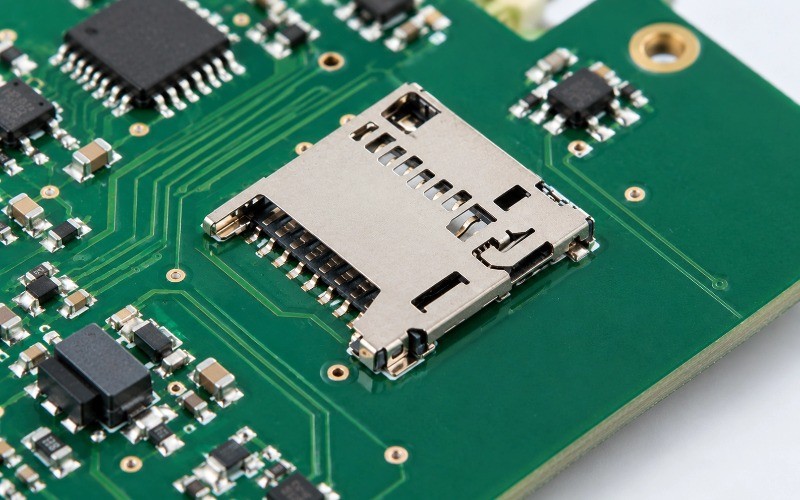
1. How to Troubleshoot a Micro SD Card Connector Step by Step
Before replacing a Micro SD card connector, separate the problem into four possible categories:
Memory card:Compatibility, file system, physical damage, or card failure.
Connector:Contaminated contacts, damaged terminals, worn retention mechanisms, or faulty detection switches.
PCB assembly:Incorrect footprint, soldering defects, damaged traces, or poor grounding.
Host system:Power instability, incorrect signal mapping, controller configuration, or firmware initialization.
This approach follows the general elimination method used in storage-device troubleshooting and the hardware checks described in MOARCONN's SD card connector installation and troubleshooting guide.
Step 1: Test with a Known-Good Micro SD Card
Insert a compatible memory card that has already been verified in another device.
Check the following:
Is the card inserted in the correct orientation?
Is it fully seated in the connector?
Does the host device recognize the card?
Does the problem occur with multiple compatible cards?
If only one card fails, investigate card compatibility and card condition before assuming the connector is defective.
If several known-good cards produce the same symptom, continue with the connector, PCB, and host-system checks.
Step 2: Inspect the Connector Mechanically
With the device powered off, inspect the Micro SD card socket under adequate lighting or a microscope.
Look for:
Bent, recessed, or visibly damaged contacts.
Dust, debris, or contamination on accessible contact surfaces.
A cracked or deformed housing.
A loose connector or visibly damaged solder joints.
Abnormal insertion, retention, or ejection behavior.
Do not force a card into the socket or use sharp tools to bend the contacts. Such actions may damage the connector further.
Step 3: Verify Power and Electrical Connections
Use the schematic and the connector manufacturer's datasheet to identify the correct terminals.
Check:
Supply voltage at the relevant circuit node.
Ground continuity.
CMD, CLK, and data-line connections.
Connector solder joints and PCB traces.
Card-detect switch operation, if present.
Use the voltage levels and electrical limits specified for the host controller and memory-card interface. Do not assume that every card connector or host design uses the same power configuration.
Step 4: Verify Host Recognition and Communication
If the mechanical connection and basic electrical checks pass, investigate the host controller and firmware.
Check the interface configuration, initialization sequence, supported card capacity, file system, and operating mode.
Microchip's SDMMC1 Card Connector documentation provides a practical example of a microSD interface with clock, command, four data signals, and a card-detection switch.
The exact pin mapping and circuit configuration must always be checked against the hardware actually under investigation.
2. Common Micro SD Card Connector Contact Problems
Poor electrical contact is one possible reason a Micro SD card may disconnect intermittently, fail to initialize, or experience read errors.
However, similar symptoms can also result from signal-integrity issues, power instability, firmware problems, or a defective memory card. Contact-related failure should therefore be confirmed through inspection and measurement.
2.1 Dirty, Worn, or Damaged Contact Surfaces
The metal contacts inside a Micro SD card connector establish the electrical connection between the memory card and the host circuit.
Contamination, wear, deformation, or damage to the contact plating may affect electrical continuity.
Possible symptoms:
The card is detected only occasionally.
Communication fails when the device is moved.
A previously functional card becomes difficult to read.
Different cards behave inconsistently in the same socket.
Recommended engineering checks:
1.Power down the equipment before inspecting the connector.
2.Inspect the card contacts and accessible connector surfaces.
3.Test with a known-good card.
4.Check contact-path continuity using an appropriate method.
5.If necessary, inspect the connector under magnification for deformation or contamination.
If cleaning is appropriate, use a manufacturer-approved procedure and a compatible cleaning material. Allow the assembly to dry completely before powering it on.
Avoid abrasive cleaning methods that can damage contact plating.
2.2 Intermittent Connection Caused by Soldering Defects
A Micro SD card connector may have small SMT terminals and mechanical mounting features. Poor solder joints, solder bridges, misalignment, or insufficient soldering can create intermittent electrical connections.
These problems may originate from an incorrect footprint, component placement errors, an unsuitable reflow process, or mechanical stress after assembly.
Inspection checklist:
Examine the terminal joints under a microscope.
Compare the actual assembly against the approved PCB footprint.
Check for solder bridges between adjacent terminals.
Inspect for lifted pads, cracked joints, or displaced components.
Verify the assembly process against the connector manufacturer's recommendations.
MOARCONN's published quality control information describes inspection of component dimensions and appearance, insertion and extraction force testing, electrical testing, and soldering evaluation.
These types of checks are relevant when evaluating connector assembly quality. Actual acceptance criteria should be established using the selected connector's specifications and the product's manufacturing requirements.
2.3 Incorrect Contact Mapping or Connector Orientation
An incorrect footprint or mirrored pin assignment can prevent a Micro SD card from communicating with the host even when the connector appears mechanically sound.
Before changing hardware, compare three items:
1.The connector manufacturer's terminal numbering.
2.The PCB footprint and schematic symbols.
3.The host controller's signal assignments.
Pay particular attention to the distinction between the memory card's standard contact numbering and the connector's physical terminal numbering.
If a board has already been manufactured with an incorrect footprint, evaluate the electrical and mechanical implications before selecting a rework method. An interposer or revised PCB may be appropriate in some circumstances, but neither should be treated as a universal fix.
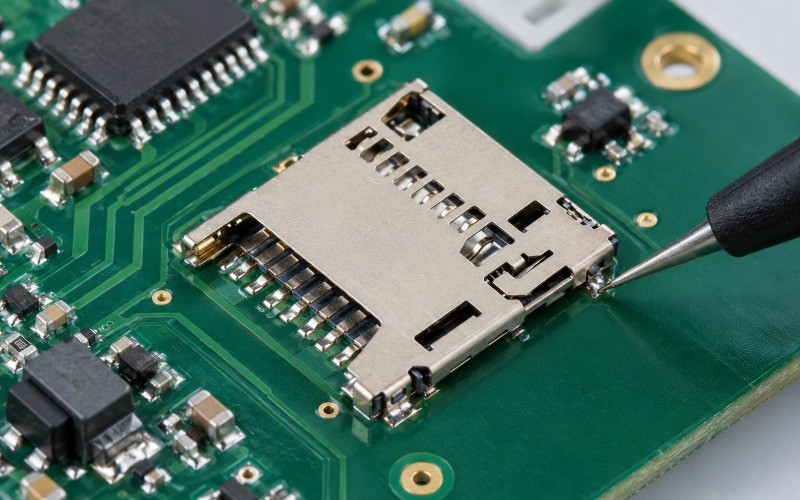
3. Micro SD Card Not Detected: Detection Switch and Electrical Checks
A Micro SD card that is not detected does not necessarily indicate a defective connector.
The fault may originate from the card-detect switch, power supply, interface wiring, host-controller initialization, or card compatibility.
A systematic diagnosis should distinguish physical card insertion from successful electrical communication.
3.1 Check the Card-Detect Switch
Some Micro SD card connectors include a dedicated card-detect switch. This switch provides a signal that allows the host system to determine whether a card has been inserted.
Depending on the connector design, the switch may be normally open or normally closed. Its terminals and logic state must be verified using the relevant datasheet.
Diagnostic procedure:
1.Identify the detection-switch terminals from the connector drawing.
2.Determine the expected open and closed states.
3.Measure switch continuity with the device powered off, where appropriate.
4.Compare the measured state with the expected state when the card is inserted and removed.
5.If the switch operates correctly, verify the signal at the host input and inspect the firmware logic.
A card-detect switch is not the same as the card's DAT3 contact. The former is a mechanical detection feature when provided; the latter is a standard card interface contact whose function depends on the operating mode.
A Micro SD connector may have additional terminals beyond the eight standard card contacts because of detection switches or other connector-specific features.
3.2 Verify Power, Ground, and Signal Connections
If the card is physically seated and the detection switch operates correctly, verify the electrical interface.
For a conventional microSD interface, the standard card contacts include:
| Card contact | Signal | Function |
| 1 | DAT2 | Data line 2 |
| 2 | DAT3/CD | Data line 3; alternate role in SPI mode |
| 3 | CMD | Command and response communication |
4 | VDD | Card supply |
5 | CLK | Interface clock |
6 | VSS | Ground |
7 | DAT0 | Data line 0 |
8 | DAT1 | Data line 1 |
This table describes the standard card contacts, not a universal connector-terminal numbering scheme. Always verify the actual socket drawing before probing or modifying a PCB.
Microchip's development-board documentation illustrates how these signals can be connected to a specific SDMMC host and how a separate detection switch may be implemented.
3.3 Check the Host Controller and Firmware
If the electrical connections are correct, check the host system.
Potential causes include:
Unsupported card capacity or file system.
Incorrect SD or SPI interface configuration.
Initialization failures in firmware.
Incorrect voltage configuration.
Signal timing or signal-integrity problems.
Unsupported operating modes.
A useful isolation test is to try the same card in a known-compatible reader, then test another known-good card in the target device.
If the card works in another reader but not in the target device, the issue may lie in the target device's connector, PCB, power supply, or controller configuration.
If the card is recognized but cannot be mounted or read, investigate the file system and software stack before replacing the connector.
4. Mechanical Problems with Micro SD Card Connectors
Mechanical issues may affect both usability and electrical reliability. A connector can make electrical contact initially but still fail if the card cannot be retained securely or the insertion mechanism is damaged.
4.1 The Card Cannot Be Fully Inserted or Ejected
Common causes include:
Incorrect card orientation.
Debris inside the slot.
Interference between the connector and enclosure.
A damaged latch, spring, or guide.
An incompatible card or mechanically damaged socket.
Inspect the complete insertion path, not just the connector body.
For a new PCB design, check the card-access opening, insertion direction, enclosure wall, neighboring components, and clearance for card removal.
For an assembled product, do not repeatedly force a jammed card into the connector. Excessive force can deform the contact terminals or damage the retention mechanism.
4.2 Push-Push Mechanism Fails to Lock or Release
Push-Push Micro SD connectors use a push-to-lock and push-again-to-release mechanism.
If the card cannot lock, release, or remain in the expected position, inspect the latch mechanism and card guide for damage or interference.
Possible contributing factors include:
Excessive side loading during insertion.
A damaged or worn internal mechanism.
Incorrect connector installation.
Enclosure interference.
Mechanical loading transferred from the PCB.
Confirm the connector's specified operating force and durability rating rather than judging the mechanism by feel alone.
4.3 Card Retention Is Unstable in Vibration-Prone Applications
Industrial equipment, vehicle electronics, and mobile devices may experience repeated vibration or shock.
The connector should therefore be selected according to the actual mechanical environment, required retention, and expected card replacement frequency.
Consider the following during design review:
Card retention and insertion direction.
Housing and mounting-post support.
Connector height and enclosure clearance.
Required insertion and withdrawal cycles.
Environmental and mechanical validation requirements.
A low-profile connector may save space, but overall reliability also depends on its mechanical design, PCB mounting, assembly quality, and operating conditions.
MOARCONN offers Micro SD connector options with different heights, mounting configurations, and insertion mechanisms. For example, the MC142-T5140-01-W Micro SD Card Connector is a 1.42 mm-high, top-mount SMT, Push-Pull design. Its published specifications include a 5,000-cycle useful-life rating. Confirm the current datasheet and suitability for your application before selecting this or any other model.
5. PCB Footprint, Soldering, and Assembly Issues
Many connector-related problems can be prevented before the first prototype is assembled.
A correct Micro SD card connector footprint must account for the manufacturer's recommended terminal dimensions, mechanical mounting features, component orientation, and keep-out requirements.
5.1 Verify the PCB Footprint Before Fabrication
Before releasing a PCB design, confirm:
The footprint matches the exact connector part number.
Pin numbering and orientation match the schematic.
Pad geometry follows the manufacturer's drawing.
The solder-mask and paste-mask openings follow the recommended design.
Mechanical keep-out areas are correctly defined.
The connector fits within the final enclosure.
Card insertion and removal are physically accessible.
Do not assume that two connectors with similar external dimensions share the same footprint.
A footprint should be validated against the current manufacturer drawing, especially when replacing a connector with an alternative model.
5.2 Inspect SMT Soldering and Assembly Quality
For SMT connectors, verify the soldering process and inspect the assembled board for defects.
Relevant checks include:
Terminal alignment and solder-joint quality.
Solder bridges or insufficient solder.
Connector coplanarity and seating.
Mechanical mounting and shell grounding.
Evidence of deformation after reflow.
The recommended assembly process should follow the selected component's documentation. Avoid applying a generic reflow temperature profile without checking the connector's material and process requirements.
5.3 Review the Electrical Layout
The PCB layout should be reviewed for signal routing, power integrity, grounding, and protection.
Depending on the interface speed and host design, engineers may need to consider:
Short, appropriately routed clock and data traces.
Signal-integrity requirements and impedance targets.
Separation from noisy switching circuits.
Appropriate decoupling and power distribution.
ESD protection compatible with the signal requirements.
Pull-up and series-resistor values specified by the applicable interface guidance and host design.
Do not treat values such as a 33 Ω clock resistor or a 10 kΩ pull-up as universal requirements. Confirm resistor values and placement against the host-controller reference design and the applicable interface specification.
MOARCONN provides connector product drawings and datasheets through its Micro SD Card Connector product category. Engineers should use the documentation for the exact selected model when preparing production footprints and assembly instructions.
6. Micro SD Card Connector Troubleshooting Table
Use the following table as a starting point for laboratory diagnosis. Each possible cause should be confirmed through measurement before corrective action is taken.
| Observed symptom | Possible cause | Recommended test | Corrective action |
| Card is not detected | Incompatible or faulty card | Test a known-good compatible card | Confirm card compatibility or replace a defective card |
Card is not detected | Card-detect switch malfunction | Check switch continuity and host input state | Repair the circuit or replace the connector if the switch is defective |
Card is not detected | Incorrect pin mapping | Compare schemati, footprint, and datasheet | Correct the PCB or wiring |
Intermittent connection | Contaminated or damaged contacts | Inspect contacts and test with another card | Apply an approved cleaning procedure or replace a damaged connector |
Intermittent connection | Cracked or poor solder joints | Inspect under magnification and test continuity | Rework or replace the assembly as appropriate |
Card cannot be inserted | Incorrect orientation or obstruction | Inspect the insertion path | Remove the obstruction and verify the mechanical design |
Card cannot be ejected | Damaged retention mehanism | Inspect latch and ejector movement | Replace the connector if mechanically damaged |
Card disconnects during vibration | Inadequate retention or mechanial loading | Perform controlled mechanial validation | Reassess the connector, mounting, and enclosure |
| Card is detected but cannot be read | Power, signal, firmware, or file-system issue | Check supply, communication signals, and software logs | Correct the confirmed electrical or software fault |
| Failures occur after PCB assembly | Footprint or soldering defect | Compare the assembly against the approved drawing | Correct the footprint or manufacturing process |
A Practical Diagnostic Sequence
For efficient debugging, follow this order:
1.Verify the memory card and insertion direction.
2.Inspect the connector's mechanical condition.
3.Check the card-detect switch, if fitted.
4.Verify power and ground.
5.Inspect solder joints and confirm pin mapping.
6.Check host-controller communication and firmware.
7.Validate the corrective action using repeatable tests.
This sequence helps avoid unnecessary connector replacement and provides a clear record of the diagnostic process.
7. How to Prevent Micro SD Card Connector Failures
Troubleshooting is important, but preventing problems during component selection, PCB design, and manufacturing is usually more efficient.
7.1 Select the Right Connector for the Application
Before choosing a Micro SD card connector, evaluate:
Available PCB and enclosure height.
Top-mount or bottom-mount requirements.
Push-Push, Push-Pull, or hinged construction.
Required card-detect functionality.
Expected insertion and withdrawal frequency.
Electrical interface requirements.
Environmental conditions and mechanical loading.
These parameters should be evaluated together rather than selecting a connector based on height or price alone.
7.2 Validate the Complete Design Before Mass Production
A connector that fits the PCB may still interfere with the enclosure or be difficult to operate after final assembly.
Prototype validation should include:
Footprint and terminal mapping verification.
Card insertion and removal checks.
Card-detection testing.
Electrical communication testing.
Solder-joint inspection.
Enclosure clearance checks.
Mechanical and environmental testing appropriate to the application.
For industrial or vehicle-related products, define the required temperature, humidity, vibration, and durability tests according to the product's operating environment.
7.3 Work with a Connector Manufacturer During Component Selection
Selecting a connector is easier when the manufacturer can provide the correct product drawing, dimensional data, and relevant electrical and mechanical specifications.
MOARCONN specializes in card connectors, including Micro SD, SD, SIM, and Smart Card products. Its published product range includes low-profile and different mounting and ejection configurations.
The company also describes engineering, mold development, manufacturing, and quality-control capabilities on its About MOARCONN, R&D Center, and Quality Control Center pages.
For a new design or connector replacement project, engineers can use these resources to identify suitable product candidates and request the relevant technical documentation.
8. How to Choose a Reliable Micro SD Card Connector
If repeated contact problems, card-detection failures, or mechanical issues occur during development, it may be time to review the connector selection itself.
A suitable replacement should meet the design's mechanical, electrical, and manufacturing requirements.
When comparing alternatives, check the following:
Mechanical compatibility
Overall dimensions and height.
Card insertion and ejection mechanism.
Mounting orientation and PCB footprint.
Retention requirements and enclosure clearance.
Electrical compatibility
Contact configuration and terminal mapping.
Rated current and voltage.
Contact resistance and insulation specifications.
Supported interface requirements.
Card-detect switch configuration.
Reliability and manufacturing
Specified insertion-cycle life.
Mechanical and environmental test requirements.
SMT assembly compatibility.
Availability of drawings and datasheets.
Product availability and engineering support.
For example, MOARCONN's Micro SD Card Connector product range includes multiple connector families and mechanical configurations. The MC142-T5140-01-W Push-Pull model is one possible candidate for compact designs, subject to the project's interface and mechanical requirements.
For higher-speed applications, verify that the connector model, card, host controller, PCB layout, and overall implementation support the required data rate. A connector's advertised transmission capability alone does not guarantee that the complete system will achieve the same performance.
Need Help Selecting a Micro SD Card Connector?
If you are developing a new electronic product or replacing a connector that has become difficult to source, MOARCONN can help you identify relevant connector options based on your design requirements.
When contacting the engineering team, prepare the following information:
Available connector height and PCB space.
Preferred insertion mechanism.
PCB mounting type.
Required interface performance.
Card-detection requirements.
Expected insertion frequency and operating environment.
Existing connector part number or mechanical drawing, if available.
This information helps narrow down suitable candidates and reduces the risk of choosing a connector that does not fit the final design.
Explore the MOARCONN Micro SD Card Connector range or contact MOARCONN to discuss your connector requirements.
9. Frequently Asked Questions
Why is my Micro SD card not detected?
A Micro SD card may not be detected because of card incompatibility, poor contact, a faulty detection switch, incorrect wiring, unstable power, or host-controller configuration. Test a known-good card first, then inspect the connector and verify the electrical interface. MOARCONN provides Micro SD card connectors with different mechanical configurations and detection-switch options; confirm the specifications of the selected model before replacement.
How do I test a Micro SD card connector with a multimeter?
Start with the device powered off and identify the connector terminals from the manufacturer's drawing. Check appropriate ground and signal-path continuity, and test the card-detect switch separately where applicable. Avoid probing powered high-speed signals with continuity mode. MOARCONN product documentation can help identify the correct terminal configuration for the selected connector.
Can a faulty card-detect switch prevent a Micro SD card from being recognized?
Yes, if the host firmware relies on that switch to initiate card detection, a defective switch or incorrect logic state may prevent normal operation. However, some systems detect cards through other mechanisms. Verify the circuit design and host configuration before replacing the connector. MOARCONN offers connector variants with detection-switch features, depending on the model.
How do I prevent intermittent contact problems?
Use the recommended PCB footprint, verify the solder joints, keep accessible contacts free from contamination, and select a connector that meets the application's mechanical requirements. Validate the assembled product using known-good cards and repeatable tests. MOARCONN's connector product documentation and quality-control resources provide useful starting points for component selection and assembly review.
Should I choose a Push-Push or Push-Pull Micro SD card connector?
The choice depends on card access, available space, user interaction, mechanical complexity, and required retention. Push-Push mechanisms provide a push-to-lock and push-to-release operation, while Push-Pull designs use a different insertion and removal approach. Compare the specific models' dimensions, durability ratings, and mechanical requirements. MOARCONN offers both types in its Micro SD card connector range.
When should I replace the Micro SD card connector?
Replacement may be necessary if the connector has visibly damaged contacts, a failed mechanical mechanism, or confirmed electrical defects that cannot be repaired reliably. Before replacing it, rule out card compatibility, PCB soldering, power, and host-controller issues. MOARCONN can help identify alternative connector models when the original component needs to be replaced or redesigned.
Conclusion
Troubleshooting a Micro SD card connector requires more than checking whether a memory card can be inserted. Contact integrity, card-detection circuitry, PCB assembly, mechanical retention, power stability, and host-controller configuration all contribute to reliable operation.
A structured diagnostic process helps engineers identify the actual failure mechanism, avoid unnecessary component replacement, and improve product reliability.
For new designs, selecting the correct Micro SD card connector and validating the PCB footprint and mechanical interface before production can prevent many common problems.
MOARCONN provides Micro SD card connector options for different space, mounting, and card-access requirements, supported by connector engineering, manufacturing, and quality-control capabilities.
Looking for a Micro SD Card Connector for your next project?
Explore Micro SD Card Connectors or contact MOARCONN to discuss your application and request relevant product documentation.
References and Technical Resources
1.MOARCONN, How to Install and Troubleshoot an SD Card Connector on PCB:
https://www.moarconn.com/blog/How-to-Install-and-Troubleshoot-an-SD-Card-Connector-on-PCB_b9948
2.Microchip, SDMMC1 Card Connector (J14):
https://onlinedocs.microchip.com/oxy/GUID-4F28D8A1-1A8D-4973-B7C3-4F63D191E011-en-US-4/GUID-FD6272AB-A762-411F-B768-A333D5006B05.html
3.Lexar technical support, Common Troubleshooting for SD and microSD Cards:
https://kaizeninfoserve.in/Lexar/CRM-Kaizen_files/Technical-Support.pdf
4.MOARCONN, Micro SD Card Connector Product Range:
https://www.moarconn.com/products2136359p2/Micro-SD-Card-Connector.htm
5.MOARCONN, Quality Control Center:
https://www.moarconn.com/comm11/MOARCONN-Quality-Control-Center.htm