SD Card Connector Intermittent Contact: An Engineer’s Guide to Diagnosing and Preventing Connection Failures
- Share
- publisher
- MOARCONN
- Issue Time
- Nov 24,2026
Summary
Learn why SD Card Connector contacts fail, how to diagnose intermittent connections, and ways to improve connector reliability.
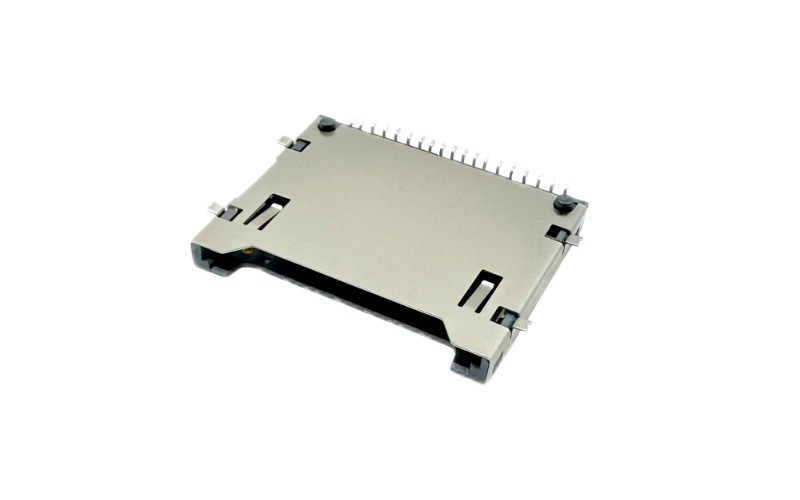
SD Card Connector Intermittent Contact: An Engineer’s Guide to Diagnosing and Preventing Connection Failures
SEO Title:SD Card Connector Intermittent Contact: Causes & Solutions
Meta Description:Discover common causes of SD card connector intermittent contact, learn practical troubleshooting methods, and improve connection reliability with better connector design.
URL Slug:/blog/sd-card-connector-intermittent-contact/
Primary Keyword:SD Card Connector
Secondary Keywords:SD card connector intermittent contact, SD card socket contact failure, SD card connector reliability, custom SD card connector
Introduction: Why Does an SD Card Connector Lose Contact?
An SD card connector is a small component, but its reliability directly affects the performance of electronic devices.
In industrial controllers, embedded systems, automotive electronics, and data logging equipment, intermittent contact can cause unexpected card disconnection, unstable data transfer, or repeated card detection errors.
These problems may not appear during initial testing. An SD card connector may work normally at room temperature but fail after repeated insertion, vibration, or temperature changes.
The root cause may involve the contact interface, card retention mechanism, PCB solder joints, or even the memory card itself.
This engineering guide explains how to diagnose intermittent SD card connector contact and prevent recurring connection failures.
Engineering takeaway: Reliable SD card connector performance requires both stable electrical contact and secure mechanical integration.
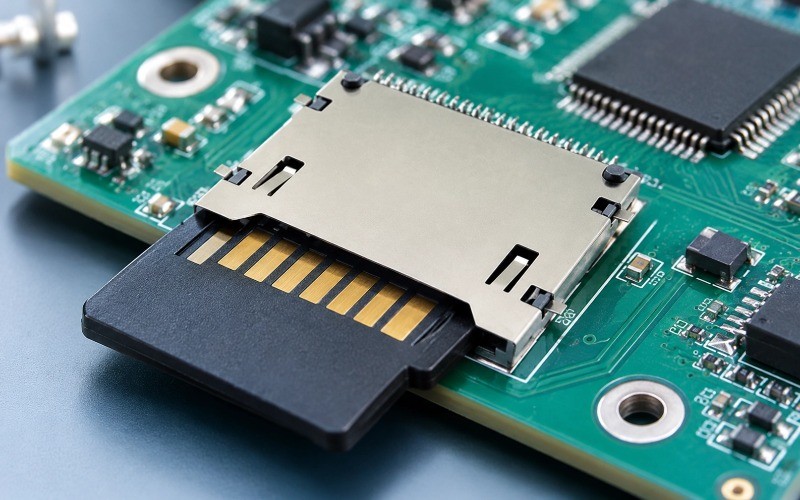
1. Common Causes of SD Card Connector Intermittent Contact
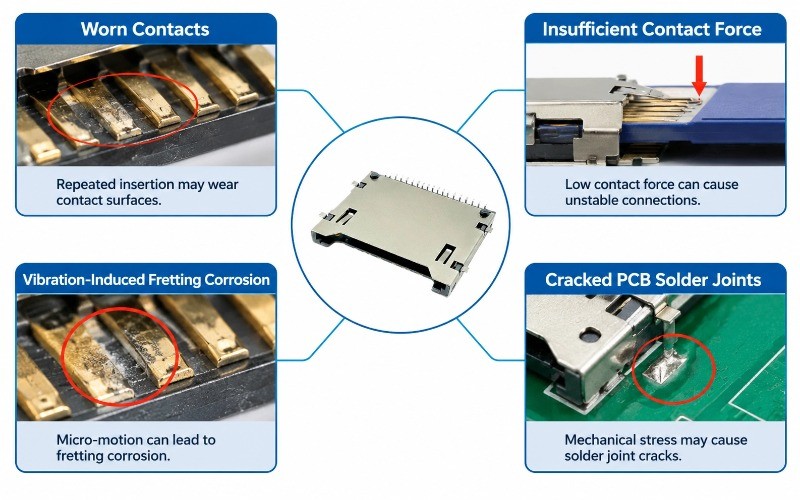
Contact Wear and Insufficient Contact Force
Repeated card insertion and removal can gradually affect the contact surface.
Potential issues include:
Contact wear or plating degradation
Reduced or inconsistent contact force
Contamination on contact surfaces
Changes in contact geometry
The connector's contact design should balance electrical performance, insertion force, and mechanical durability.
Vibration-Induced Micro-Motion
In industrial and automotive applications, vibration may cause small movements between mating contact surfaces.
Repeated micro-motion can contribute to fretting wear and corrosion, potentially increasing contact resistance and causing intermittent electrical connections.
PCB Solder Joint and Mounting Failure
An SD card connector also experiences mechanical loads during card insertion and removal.
If the mounting structure is inadequate, these forces may contribute to:
Cracked solder joints
Lifted PCB pads
Connector movement
Electrical discontinuity
Contamination and Environmental Exposure
Dust, moisture, corrosion, and temperature changes may affect contact performance.
For demanding applications, engineers should consider the actual operating environment rather than relying only on initial electrical specifications.
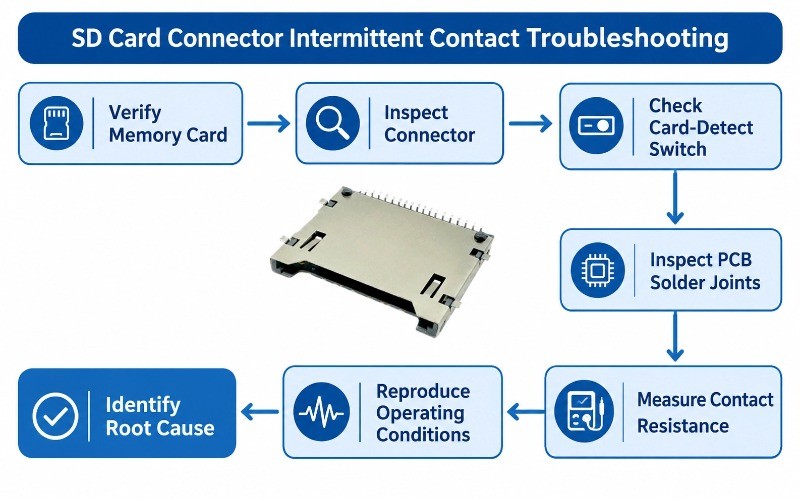
2. How to Diagnose an SD Card Connector Contact Problem
A systematic troubleshooting process helps identify the actual failure before replacing components.
Step 1: Verify the Memory Card
Test with a known-good compatible SD card.
Check whether the problem occurs with multiple cards and inspect the card contacts for damage or contamination.
Step 2: Inspect the Connector
Look for:
Deformed or damaged contacts
Housing damage
Abnormal card retention
Contamination
Misalignment
Step 3: Check the Card-Detect Switch
If the device reports that the card is missing, inspect the card-detect switch and its PCB connections.
A detection-switch problem should not be confused with failure of the main electrical contacts.
Step 4: Inspect PCB Solder Joints
Check signal terminals, mounting anchors, solder joints, and PCB pads for cracks or mechanical damage.
Step 5: Measure Contact Resistance
Compare the measured contact resistance with the connector manufacturer's specification.
For intermittent failures, consider monitoring electrical continuity during controlled vibration or mechanical movement.
Step 6: Reproduce the Operating Condition
If the failure occurs only in the field, reproduce the relevant conditions through vibration, thermal cycling, or mechanical endurance testing.
The objective is to identify the condition that triggers the failure and confirm its root cause.
3. How to Prevent SD Card Connector Connection Failures
Choose the Appropriate Connector Mechanism
Push-push, push-pull, and hinged SD card connectors have different mechanical characteristics.
Selection should consider:
Card replacement frequency
Available PCB space
Card retention requirements
Enclosure design
Vibration and shock conditions
Optimize Contact and Mounting Design
A reliable SD card connector requires proper contact geometry, material selection, and mechanical support.
Engineers should review:
Contact force and alignment
Contact material and plating
PCB footprint
Mechanical anchors
Connector height and clearance
Card insertion and extraction space
Validate Reliability Before Mass Production
Depending on the application, relevant tests may include:
| Test | Purpose |
| Mating durability | Evaluate performance after repeated insertion |
Contact resistance | Verify electrical stability |
Vibration | Check contact continuity and card retention |
Mechanical shock | Evaluate structural stability |
| Thermal cycling | Assess temperature-related changes |
Test conditions and acceptance criteria should follow the connector specification and application requirements.
4. When Should Engineers Consider a Custom SD Card Connector?
A standard SD card connector may be suitable for many applications.
However, customization may be necessary when the design involves:
Limited PCB space
Special connector height
Unusual mounting orientation
Specific card retention requirements
High-vibration operating conditions
Unique mechanical integration challenges
Before requesting a custom SD card connector, engineers should prepare the PCB footprint, mechanical drawing, card type, operating conditions, and expected production volume.
These details help evaluate feasibility and reduce unnecessary design iterations.
5. How MOARCONN Supports SD Card Connector Engineering
MOARCONN specializes in card connector development and manufacturing, including SD card connectors, Micro SD card connectors, SIM card connectors, and smart card connectors.
For projects involving intermittent contact or mechanical reliability challenges, MOARCONN supports engineers with connector selection, mechanical integration, and application-specific customization.
Available engineering considerations may include:
Connector dimensions and mounting configuration
Push-push or push-pull mechanisms
Contact and plating options
PCB integration
Mechanical retention requirements
MOARCONN also provides R&D and quality-control capabilities to support connector evaluation and product development.
For applications where standard connectors cannot meet specific design requirements, a customized SD card connector may provide a more suitable solution.
Need help selecting an SD card connector for your application?
Contact MOARCONN to discuss your PCB layout, mechanical constraints, and reliability requirements.
Explore MOARCONN SD Card Connectors
Discuss Custom SD Card Connector Requirements
Conclusion
Intermittent contact in an SD card connector can result from contact wear, insufficient contact force, vibration, contamination, or PCB mounting failure.
A systematic diagnosis helps engineers identify the root cause and prevent recurring connection problems.
By combining appropriate connector selection, mechanical integration, and reliability testing, engineers can improve SD card connector performance in demanding applications.
When standard designs cannot meet specific requirements, MOARCONN's custom SD card connector solutions can help support application-specific engineering needs.
Reliable SD card connector design starts with understanding the failure—and preventing it at the source.
Author: MOARCONN Engineering Team
Technical Review: [Insert actual engineer name and title]
References:
MOARCONN: Micro SD Card Connector Troubleshooting
MOARCONN: SD Card Connector Reliability in High-Temperature and High-Vibration Environments
Teyconn: Connector Corrosion and Fretting Corrosion Guide
Note: Connector performance depends on the specific design, materials, PCB integration, and operating environment. Always refer to the selected connector's datasheet when defining acceptance criteria.